
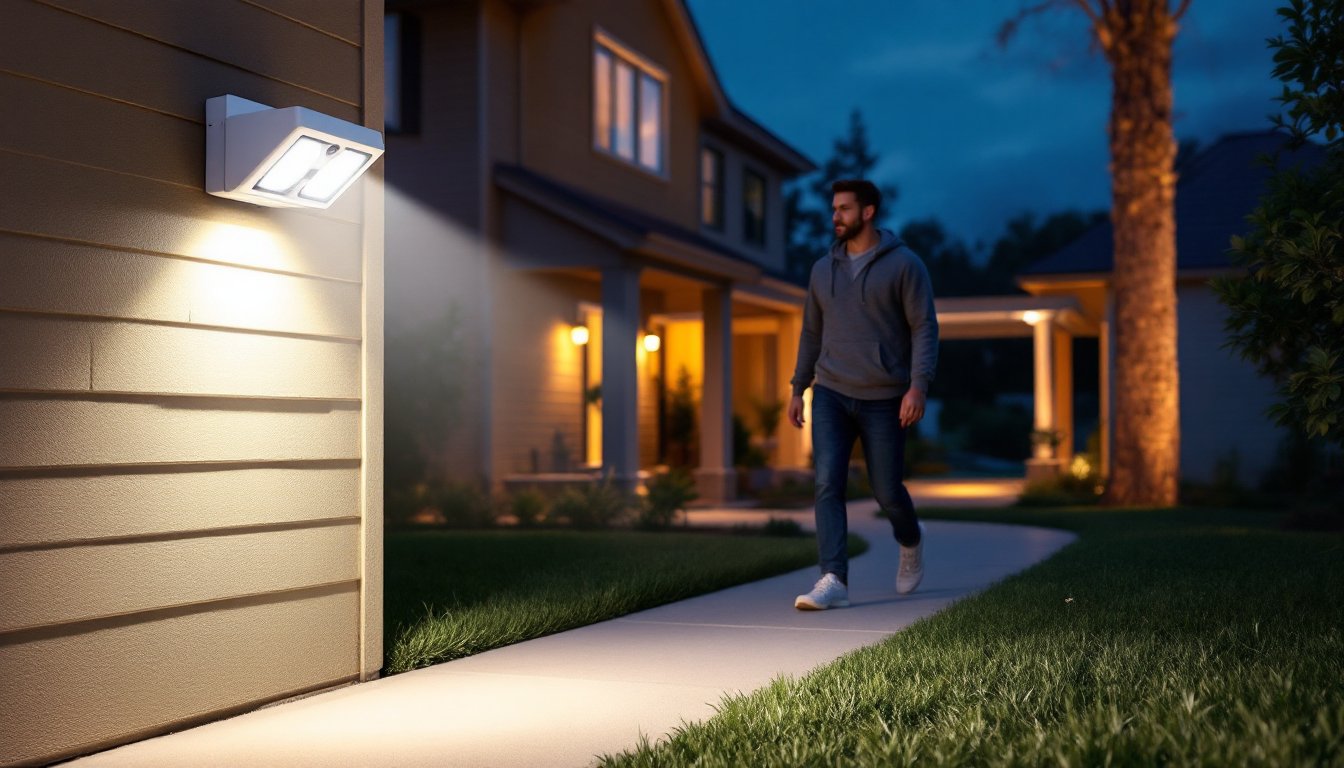
Motion sensor flood lights have become a staple in modern home security and outdoor lighting design. They turn on when they detect movement, flood an area with bright light, and automatically shut off after a set period. This combination of convenience, safety, and energy efficiency makes them a smart upgrade for driveways, backyards, entryways, and side yards. Whether someone’s looking to deter intruders, navigate their property safely at night, or simply stop fumbling for light switches with grocery bags in hand, a well-placed motion sensor flood light solves the problem.
Table of Contents
ToggleKey Takeaways
- Motion sensor flood lights detect movement using PIR, microwave, or ultrasonic sensors and automatically illuminate outdoor areas while consuming significantly less energy than continuously-lit fixtures.
- Installing a motion sensor flood light can reduce outdoor lighting costs by approximately $16 per fixture annually while enhancing home security by eliminating darkness and deterring intruders.
- When choosing a motion sensor flood light, prioritize IP65+ weatherproofing, brightness between 1,500–3,000 lumens depending on area size, and adjustable detection range and sensitivity to match your property’s specific needs.
- Proper installation requires turning off power at the circuit breaker, using weatherproof electrical boxes, securing wire connections, and sealing around the fixture base with silicone caulk to prevent water intrusion.
- Common motion sensor flood light issues like false triggers, constant operation, or flickering can be resolved by adjusting sensitivity settings, redirecting the sensor away from heat sources, or checking wiring connections.
- Smart motion sensor flood lights with Wi-Fi integration offer remote control and scheduling features but require a stable internet connection at the installation point to function optimally.
What Is a Motion Sensor Flood Light and How Does It Work?
A motion sensor flood light combines two components: a high-intensity floodlight (typically LED) and a passive infrared (PIR) sensor or other motion detection technology. The sensor monitors a defined coverage area for changes in heat signature or movement. When it detects motion, like a person walking into the detection zone, it triggers the light to turn on.
PIR sensors are the most common type. They detect infrared radiation (heat) emitted by living beings. When a warm body enters the sensor’s field of view, the change in infrared levels trips the relay that powers the light. PIR sensors are effective, affordable, and work well in most residential applications.
Some newer models use microwave or ultrasonic sensors, which emit waves and measure reflections to detect motion. These can cover larger areas and see through glass or thin walls, but they may trigger more false positives from wind-blown branches or passing cars.
Smart motion sensor flood lights integrate with Wi-Fi and home automation systems. They allow users to adjust sensitivity, detection range, and duration through a smartphone app. Many include features like scheduling, color temperature adjustment, and integration with security cameras.
Most units allow adjustment of three key parameters: sensitivity (how much motion is required to trigger), duration (how long the light stays on after detection, usually 1–20 minutes), and range (the detection zone, often 30–70 feet depending on the model). Understanding these controls helps homeowners fine-tune performance and avoid nuisance triggers.
Key Benefits of Installing Motion Sensor Flood Lights
Enhanced Security and Deterrence
Motion-activated lighting is one of the most effective low-cost deterrents against burglary and trespassing. Criminals prefer to work in darkness: a sudden flood of light eliminates concealment and draws attention. According to studies on home security, well-lit exteriors significantly reduce the likelihood of break-ins.
These lights also improve personal safety. Walking to a car at night, taking out trash, or checking on a noise becomes safer when the path lights up automatically. No need to navigate steps or uneven ground in the dark.
Many security-focused outdoor motion lights now integrate with cameras and alarms, creating layered security systems that document activity while illuminating it.
Energy Efficiency and Cost Savings
Unlike traditional outdoor lights left on all night, motion sensor flood lights operate only when needed. A typical LED flood light drawing 20–40 watts might run for only 20–30 minutes total per night in a low-traffic area, compared to 10–12 hours for a continuously lit fixture.
The math is straightforward. A 30-watt LED running 12 hours nightly uses about 10.8 kWh per month. The same fixture running 30 minutes per night uses only 0.45 kWh. At $0.13 per kWh (national average), that’s a savings of roughly $1.35 per fixture per month, $16 per year. Multiply that across several fixtures, and the savings add up.
LED technology has extended bulb life to 25,000–50,000 hours, drastically reducing replacement frequency. Combined with motion activation, a quality fixture can last a decade or more with minimal maintenance.
Choosing the Right Motion Sensor Flood Light for Your Home
Start by identifying the mounting location and power source. Most residential installations use either hardwired 120V AC fixtures (wired directly into the home’s electrical system) or battery/solar-powered units. Hardwired models provide consistent brightness and reliability but require electrical boxes and potentially running new wiring. Battery and solar models offer flexibility for sheds, fences, and areas without electrical access, but brightness and runtime depend on battery capacity and sunlight exposure.
Check the fixture’s IP (Ingress Protection) rating. For outdoor use, look for at least IP65, which protects against dust and water jets from any direction. Coastal or high-moisture areas benefit from IP66 or IP67 ratings.
Lumens measure brightness. A typical motion sensor flood light ranges from 1,000 to 3,000 lumens. For reference, 1,500 lumens provides strong illumination for a standard two-car driveway or backyard patio. Entryways may need only 800–1,200 lumens, while large yards or commercial-grade security may require 3,000+ lumens.
Detection range and angle vary widely. Budget models may cover 180 degrees with a 30-foot range, while premium units offer 240–270 degrees and 70+ feet. Match the coverage to the space: a narrow side yard needs less range than a sprawling backyard.
Consider adjustable heads. Dual or triple-head fixtures let users direct light where it’s needed, toward a walkway and a door, for example, while keeping the sensor aimed at the approach path.
Many top-rated motion sensor lights now include color temperature options (warm white 2700K–3000K vs. daylight 5000K–6500K). Warm white is more inviting for entryways and patios: daylight is sharper and better for security applications.
Smart models add convenience but require a stable Wi-Fi signal at the installation point. They’re worth it if someone wants remote control, scheduling, or integration with voice assistants and security systems.
Step-by-Step Installation Guide for Motion Sensor Flood Lights
Before starting: Turn off power at the circuit breaker and verify it’s off with a non-contact voltage tester. Most installations fall under the National Electrical Code (NEC), and local codes may require permits for new circuit work. If running new wiring or installing a fixture on a circuit without GFCI protection in a wet location, consult a licensed electrician.
Tools and Materials:
- Motion sensor flood light fixture
- Wire nuts (usually included)
- Weatherproof electrical box (if replacing an old fixture, the existing box may suffice)
- Drill/driver
- Screwdriver set
- Non-contact voltage tester
- Ladder (rated for the user’s weight plus tools)
- Silicone caulk or weatherproof gasket
- Safety glasses and work gloves
Step 1: Remove the old fixture (if replacing). Unscrew the mounting plate, disconnect wire nuts, and gently pull the fixture away. Inspect the electrical box. It should be securely mounted to a stud or rafter and rated for wet locations if exposed to weather. Replace if cracked or loose.
Step 2: If installing in a new location, mount a weatherproof electrical box to the exterior wall. Use a stud finder to locate solid framing. A pancake box works for retrofit installations on siding: a standard 4″ round or octagonal box fits new construction or locations with accessible framing. Seal around the box with exterior-grade caulk.
Step 3: Run cable to the box if needed (12/2 or 14/2 NM-B for indoor runs: UF-B for buried or exterior runs). This step often requires a permit and may be best left to a pro.
Step 4: Connect the fixture wiring. Typically, black (hot) to black, white (neutral) to white, and green or bare copper (ground) to the ground screw or wire. Secure each connection with a wire nut and wrap with electrical tape for extra protection. Tuck wires neatly into the box.
Step 5: Attach the mounting bracket to the electrical box using the provided screws. Many fixtures use a universal crossbar that fits standard box spacing.
Step 6: Secure the fixture to the bracket. Adjust the sensor and light heads to cover the desired area. Most heads pivot and lock with setscrews or wing nuts.
Step 7: Apply a bead of silicone caulk around the base of the fixture where it meets the wall to prevent water intrusion.
Step 8: Restore power at the breaker. The light should turn on briefly during initialization, then switch to motion-sensing mode. Adjust sensitivity, range, and timer settings using the controls on the fixture or the app (for smart models).
Testing: Walk through the detection zone from several angles at different speeds. Fine-tune sensitivity to avoid false triggers from small animals or swaying vegetation. If the light doesn’t activate, check wiring connections and ensure the sensor isn’t obstructed or pointed toward a heat source (like an HVAC vent).
Troubleshooting Common Motion Sensor Flood Light Issues
Light doesn’t turn on: First, confirm power at the breaker and check for a tripped GFCI outlet upstream. Use a voltage tester at the fixture. If power is present but the light won’t activate, the sensor may be faulty or the unit may be in “test” or “off” mode. Check the control settings.
Light stays on constantly: This usually indicates the sensor is detecting continuous motion or heat. Possible causes include a heat source in the detection zone (exhaust vent, chimney), a sensor pointed at a reflective surface (window, metal siding), or the sensitivity set too high. Redirect the sensor, lower sensitivity, or switch to a different detection mode if available.
Frequent false triggers: Wind-blown branches, small animals, or passing car headlights can trip sensitive PIR sensors. Reduce sensitivity or narrow the detection angle to exclude problem areas. Some high-quality motion-activated outdoor lights offer pet-immunity settings that ignore objects below a certain size.
Light flickers or dims: Loose wiring connections are the most common culprit. Turn off power and re-check wire nuts and ground connections. If the fixture is on a dimmer circuit, remove it, most motion sensor flood lights aren’t compatible with dimmers. LED drivers can also fail over time: if the fixture is under warranty, contact the manufacturer.
Short runtime: If the light turns off too quickly, increase the timer duration. If it still won’t stay on long enough, the photocell (dusk-to-dawn sensor) may be malfunctioning or getting confused by reflected light. Some fixtures let users disable the photocell for manual or app-based control.
Water intrusion or condensation: Even weatherproof fixtures can develop leaks if gaskets degrade or installation wasn’t sealed properly. Remove the fixture, inspect and replace gaskets, and reapply silicone caulk around the mounting plate. Condensation inside the lens is usually cosmetic but can indicate a failed seal, contact the manufacturer if it persists.
For persistent issues, consult the manufacturer’s troubleshooting guide or consider replacing the sensor module if it’s a separate component. Many fixtures offer replaceable sensors and LED arrays, extending the useful life without full replacement.